On this page
The pomodoro timer I like most is a physical cube. I turn it, put my hands back on the keyboard, and stop thinking about software for a while. It does that job better than another window on my screen.
What it can’t do is keep a record. After a week of turning the cube, I know I worked, but I don’t have much to look back on: how many sessions I finished, what I spent them on, or how consistent I’ve been.
That’s why I built Pomodoro Count: a native macOS menu bar app for logging completed focus sessions. It has a timer too, but I built it around the simple act of recording work, however I timed it.
Log a session with one click
Open the menu bar panel and choose Log completed pomodoro. The panel closes, today’s count increments, and the app gets out of the way. If the click was a mistake, Undo last reverses it.
That’s the interaction I wanted to keep simple. Categories, goals, and history make the record more useful, but logging a session should still take one click.
There are three other ways to record a session:
- Press the default global shortcut,
Control+Option+Command+P, from any app. - Run
open "pomodorocount://log"from a script or macOS Shortcut. - Send the URL command from hardware such as a Stream Deck.
To log directly to a category, append its name:
open "pomodorocount://log?category=Deep%20Work"The URL won’t create a new category. If the name is unknown, the pomodoro goes to the general bucket and the app confirms the result with a notification.
Install it
You can install it with Homebrew:
brew install --cask markgustetic/tap/pomodoro-countYou can also download the zip from the
latest GitHub release,
unzip it, and move Pomodoro Count.app into /Applications.
The v1.5 release
is signed with an Apple Developer ID and notarized by Apple. The installation
command no longer needs --no-quarantine.
Pomodoro Count lives in the menu bar. It doesn’t create a Dock icon or a regular app window. Once it’s running, look for the tomato at the top-right of the screen.
Use the built-in timer when you need it
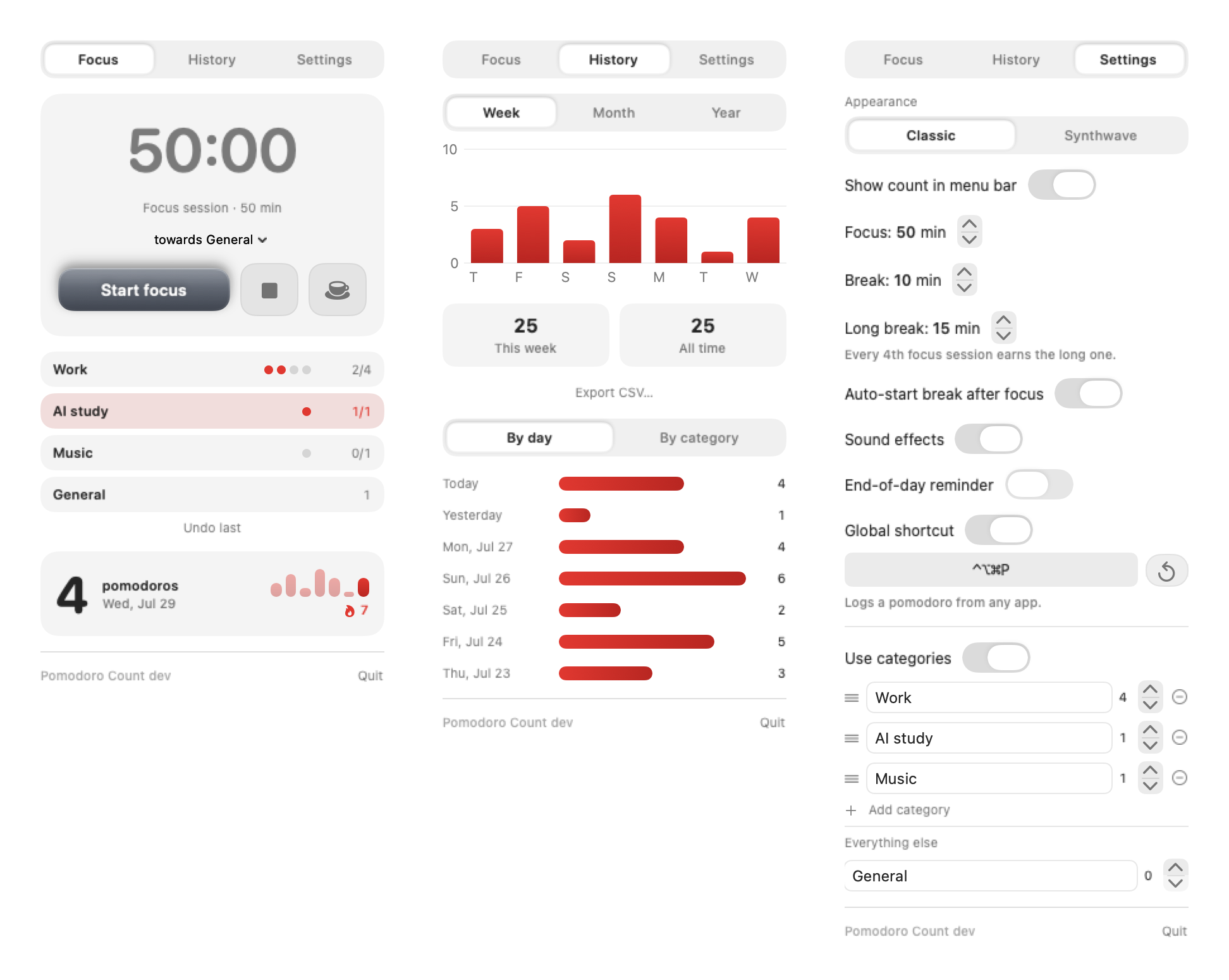
The built-in timer defaults to a 50-minute focus and a 10-minute break. Start it from the top of the Focus tab, pause or stop it there, and adjust the durations in Settings.
The menu bar label becomes the countdown while a session is running. A cup marks a break, and a pause glyph makes a paused session visible without reopening the panel. Every fourth completed focus session earns a longer break, set to 15 minutes by default. You can change the break duration in Settings.
The timer keeps running when the screen locks or the displays sleep. If you want it to count only time at this Mac, turn on Pause when the screen locks in Settings. With that setting enabled, locking the screen pauses the session.
Turn a count into a useful record
Categories are optional. Enable them in Settings to give each kind of work its own row and daily goal, such as Work 4, AI study 1, and Music 1. Click a row to choose the category for the timer. Use the + and − controls to add or remove a completed session by hand.
History also gains a By category view, so you can see where the sessions went.
With Follow the category order enabled, the timer moves to the highest category in the list that still has a goal left to meet. You can turn this off in Settings if you prefer to choose the category yourself.
Removing a category archives it instead of deleting it. Existing pomodoros keep their labels, and adding the same name later reconnects the category with its history.
Read the rhythm, not just today’s number
History supports Week and Month charts, a daily list, this-week and all-time totals, and a Year view that renders the last 365 days as a heatmap. The point is to see how the work adds up over a day, a week, or a few months.
Two or more consecutive active days add a streak to the header. An empty morning does not immediately erase yesterday’s run; the streak simply waits to see what happens today. An optional end-of-day reminder reports how many sessions remain only when a daily goal has not been met.
Export CSV… writes one row per pomodoro, which keeps the data useful outside the app instead of trapping it behind the interface.
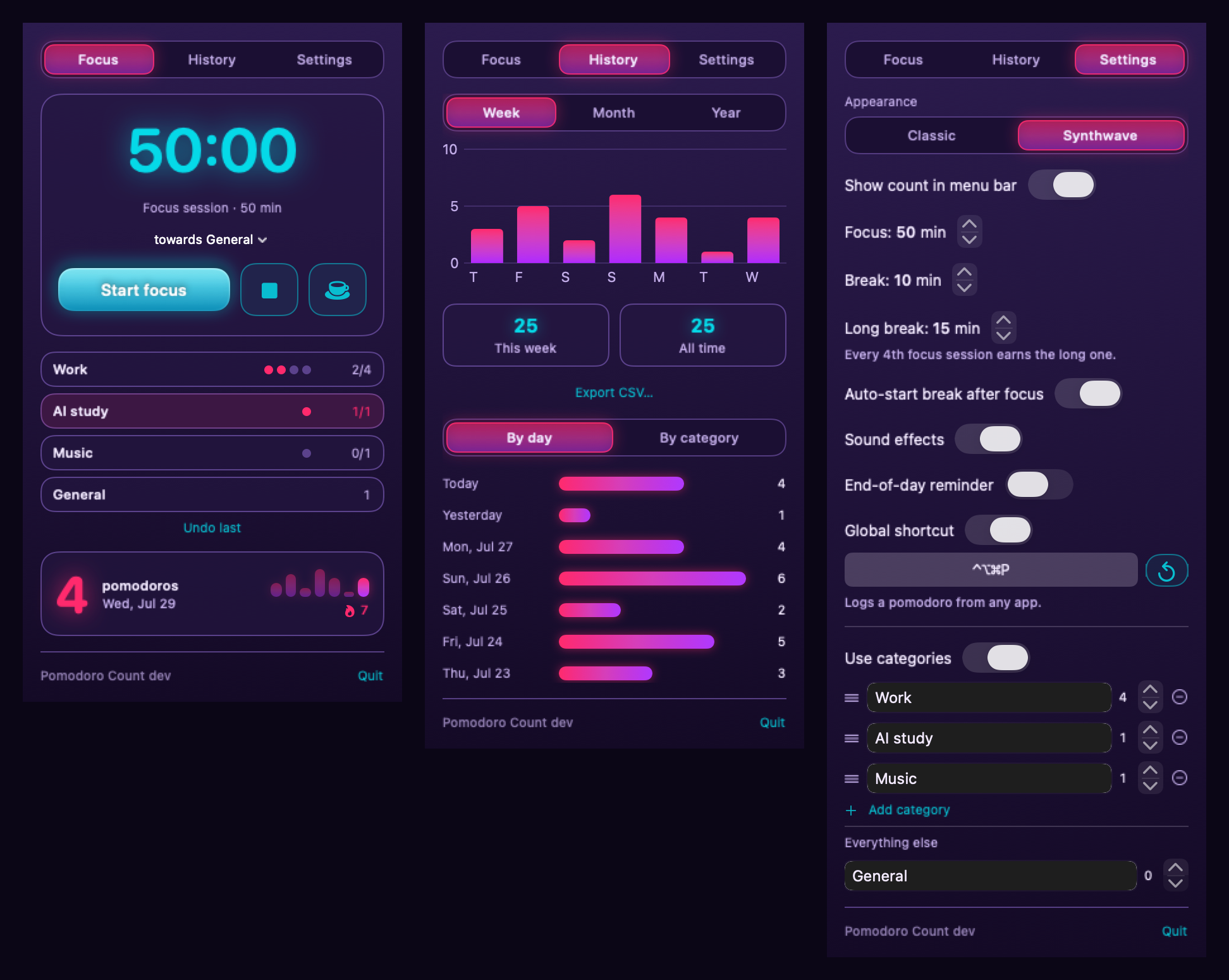
The Synthwave theme changes the palette while preserving the same Focus, History, and Settings structure.
Keep it private and understandable
The app stores timestamps and settings in one plain-text JSON file:
~/Library/Application Support/PomodoroCount/data.jsonThere’s no account, telemetry, or analytics. Your focus history stays on the Mac. The app uses the network to check for and download updates; you can turn automatic update checks off in Settings.
I wanted the data to be easy to look at and easy to keep. It’s a plain file you can read, back up, or move yourself.
A small app still has real constraints
Pomodoro Count is built with SwiftUI for macOS 14 and newer. The menu bar interface is a non-activating panel, which creates several constraints that ordinary app windows do not have: dialogs can dismiss the panel, popovers cross window boundaries, long content needs deliberate height measurement, and native drag-and-drop does not start reliably there.
Those constraints influenced a lot of the implementation. Category reordering uses a measured gesture in the list’s coordinate space. Confirmation flows stay in popovers. Fast timer ticks live outside the main app model so the entire interface does not invalidate twice per second. Persistence backs up unreadable or newer-schema files before a future save can overwrite them.
That’s where the app has landed: one menu bar item, one panel, one local data file, and a few ways to log a session. I can keep using the physical timer I like and still have a record of the work.
The source, release notes, installation options, and issue tracker are all in the Pomodoro Count repository.